


NeverSink's LOOTFILTER v8.19.x♦ in-depth ♦ endgame+leveling 2in1 ♦ user-friendly ♦ SC/HC versions
" Try restating the game, it might be related to GGGs strange optimizations when switching filters lately. I can't think of a reason why it wouldn't work. However, I'm not at home so I might look into it later if it won't help Please don't PM me ingame with filter/guide questions, post them on the forum, after reading the FAQ.
|

|
" in options - ui go to item filters and first select none. then select the filter you want to use. it seems to be some issue with this otherwise. if i am using regular and switch to regular (blue) nothing happens. but if i first select none and then regular (blue) it works just fine. Last edited by kompaniet#2874 on Jan 14, 2017, 6:19:39 AM
|

|
|
are you using the uberstrick ? even on fresh use it will not show blue claws and staves for me
edit : found out why it is hiding weapons using the uberstrick because there is a hide for weapons [0208] Warband items Class "Daggers" "Wands" "Sceptres" Last edited by deeznutzzz123#1963 on Jan 14, 2017, 4:01:27 PM
|

|
|
Hey Sink
Im using semi strict filter. There are few Rare items that arent last base item and i want to hide them. How to do that using filtration? | |
|
Hi, I've been using this filter for a while, but I'm now trying to upgrade to the semi-strict version. However, I would like to show all hammer bases for chisels, and all chromatic items, and possibly other things you have changed. Could you provide a full list of all changes in the semi-strict filter compared to the standard one and also how to remove some of these things? Thanks
|
|
|
Sorry in advance for not reading 236 pages to see if my question is already answered somewhere else but, using semi strict filter, I picked up 3 item with a purple border......they are complete junk, but curious about eh border meaning.
Thank you |

|
|
i think these items have a vaal implicit mod and are identified?
|

|
|
For some reason I cannot get leather belts to play a sound/look like the Sorcerer boots :(
For example: " I then add the leather belt: " 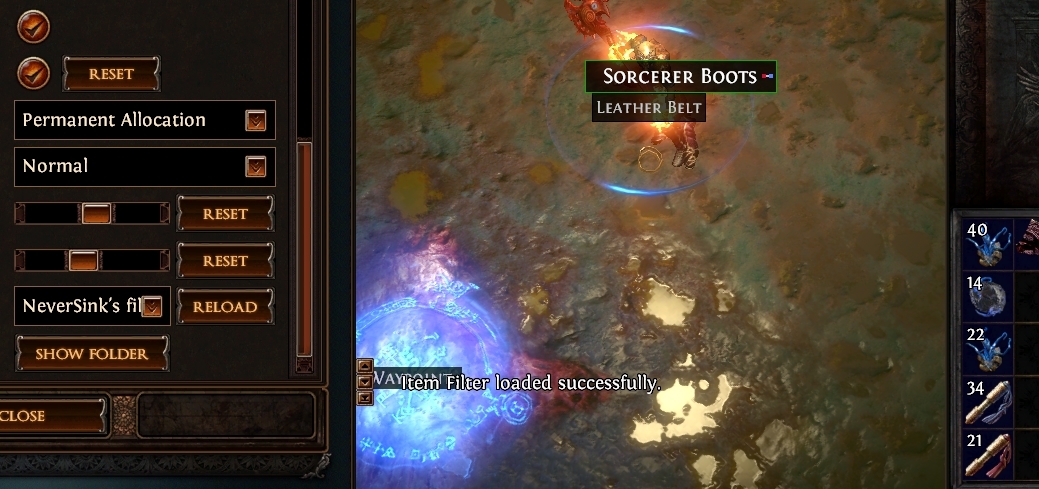 But it's still not working, any idea? Edit: I did try restarting too, hmmm "Good thing they nerfed the carto, it wasn't fun to find one in every map." - Haborym Last edited by monkuar#2123 on Jan 16, 2017, 1:28:02 AM
|

|
|
Fuck it
Just added " To the top of file and it works (was adding it towards the bottom) "Good thing they nerfed the carto, it wasn't fun to find one in every map." - Haborym Last edited by monkuar#2123 on Jan 16, 2017, 1:41:49 AM
|
|
" This should only apply to ilvl 84 weapons. Anyway, I'll move the entry down a notch for the next update. " I'm not exactly proficient in filtration, since I do everything by hand (faster+preserves comments/structure). Getting some more information would help. " This is mostly up-to-date. I currently don't have the time to create a new list, however I'm working on automating the process (more information soon). There are some explanations on FAQ (page 1). In the future, I'll have videos and a tool to explain such modifications. For now I recommend using filtration or googling, when it comes to editing. " Purple items are corrupted/identified amulets/belts/gloves for trash to treasure prophecies or potential warband mod magic items, sadly it's impossible to get a implicit analysis, so you need to check them by hovering. " I'll move the priority chancing section up an entry in the coming patch. For now. Search for: " [0206] 83/84+ Endgame crafting rules ". Within this entry, search for "Leather Belt". Remove it from the basetype list and it'll work. Please don't PM me ingame with filter/guide questions, post them on the forum, after reading the FAQ.
|
|



