


Game-breaking performance on M1 Max Mac (Native client) - Locked on Vulkan, dropping to 40 FPS
|
Hi everyone,
I am having severe, game-breaking performance issues using the native Path of Exile Mac client. My Setup: Hardware: MacBook Pro 16” M1 Max (32-core GPU), 64 GB Unified Memory. Display: Closed-display (clamshell) mode, outputting exclusively to an external Dell U2722D monitor (2560 \times 1440 at 60 Hz). Client: Native Mac client (standalone, non-Steam). The Problem: Even on minimum graphical settings, the game heavily struggles to maintain 60 FPS in towns. The moment I enter any map with monster packs and skill effects, the framerate instantly drops to 40-45 FPS and plummets even lower during combat, making the game completely unplayable. Given the specs of this machine, it should handle this resolution effortlessly. What I've noticed and tried so far: 1 The device_type=Vulkan bug: When checking my production_Config.ini file, the renderer is hard-locked to Vulkan. There is no "Renderer" option available in the in-game graphics menu. If I manually edit the .ini file to change it to Metal, the game automatically overwrites it and reverts back to Vulkan upon launch. Even setting the file to "Read-Only" or "Locked" via macOS Finder does not solve the underlying stutter. 2 File location / Update bug: I encountered a very strange behavior with updates. On a fresh installation, I can launch the game normally from the Applications folder. However, as soon as a new patch/update drops, the game crashes on launch from there. From that point on, I can only launch the game directly from the ~/Library/Application Support/Path of Exile/ directory. 3 General troubleshooting: I have tried deleting the entire ShaderCache and DailyCache folders, wiping the .ini config completely to let the game regenerate it, and disabling ambient sounds. Nothing helps. It seems like the client is completely misidentifying the Apple Silicon hardware, forcing a poorly emulated Vulkan layer instead of native Metal, alongside broken file path permissions after updates. Is anyone else experiencing this on high-end M-series Macs? Any help or an official fix from GGG would be highly appreciated. 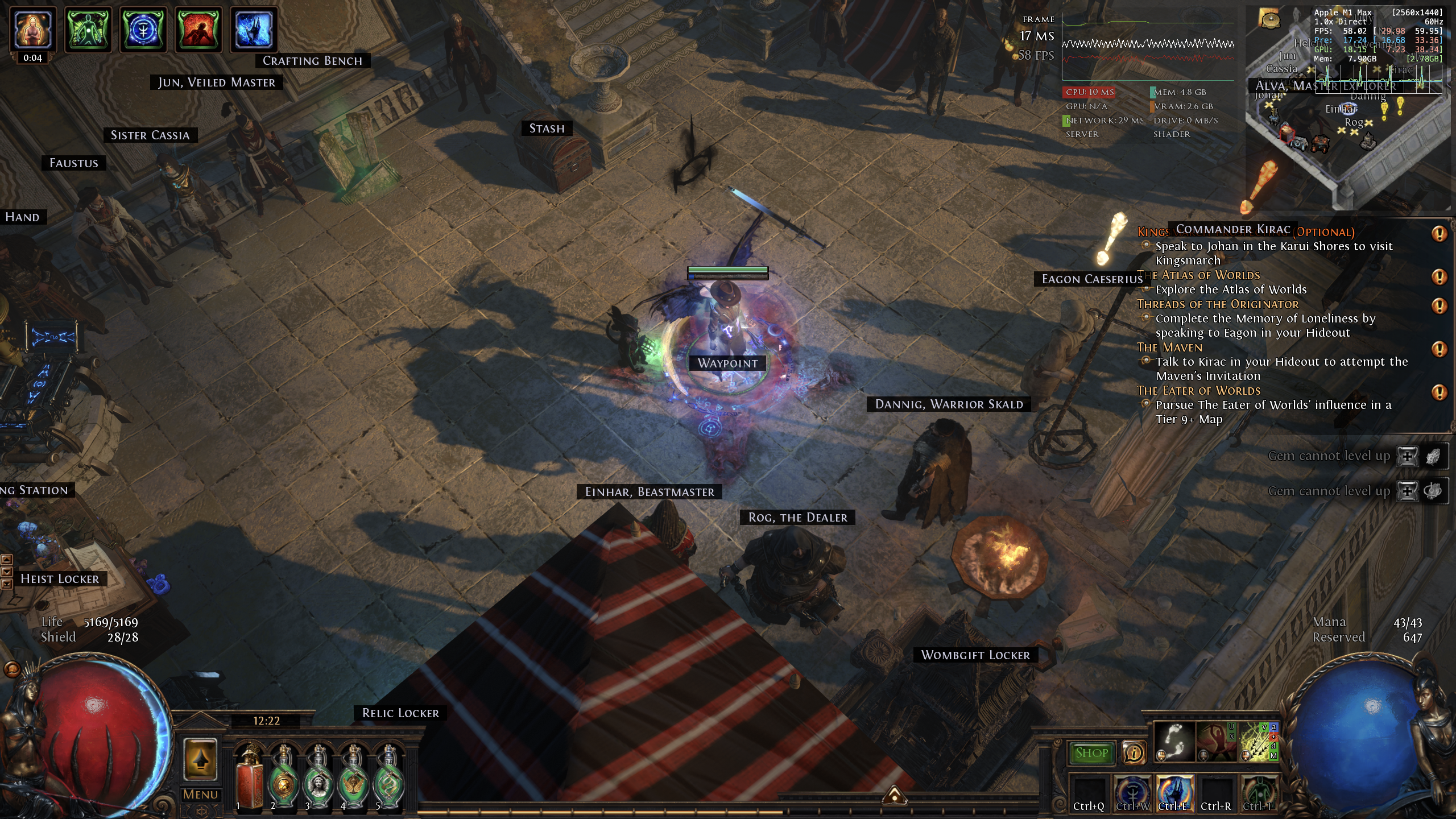 Last bumped on May 20, 2026, 7:36:12 AM
|

|
|
The Vulkan thing isn't a bug; for Metal to show up in the client's graphics options, GGG would have needed to specifically implement support for that graphics API. They haven't done this. I really wouldn't try to edit the .ini to present unexpected input and lock the file; while doing so shouldn't cause problems as the game should just passively ignore anything it doesn't understand, it's a risk without an associated upside. It's also something that, once done, is easily forgotten later.
Unfortunately there's really no troubleshooting that can be attempted other than the usual suspects such as lowering the resolution. The macOS client is very much an overlooked port that doesn't receive anywhere near the kind of attention from GGG that it would require to run well. It's worth remembering that GGG had announced the Mac port prior to Apple's own announcement of their then-upcoming transition to the ARM architecture, so I suspect GGG's modestly sized Mac porting team got more than they bargained for when they were suddenly tasked with keeping on top of an entire instruction set. Many companies simply downloaded the latest version of Unreal or Unity, but GGG had rolled their own game engine so that was very much a them problem. That means it seems unlikely that they'll take the time to specifically add support for Metal anytime soon. The Mac port is likely stuck in a catch-22 where no players use it because the performance is garbage, but the number of developers working on it never increases because there are no players using it. Whatever team size was believed sufficient back in the Intel-based Mac era clearly just hasn't proven to be enough during the ARM era. I'm surprised they haven't just quietly cancelled the port - which, in some ways - seems like the more honest approach than continuing... this. GGG do not offer first-party Technical Support.
Free Technical Support guides created by the community are available here: https://www.poecommunity.help No ads, trackers, or other weird stuff. |

|

