[size=5]
POE2 Filter Sound Studio[/size]
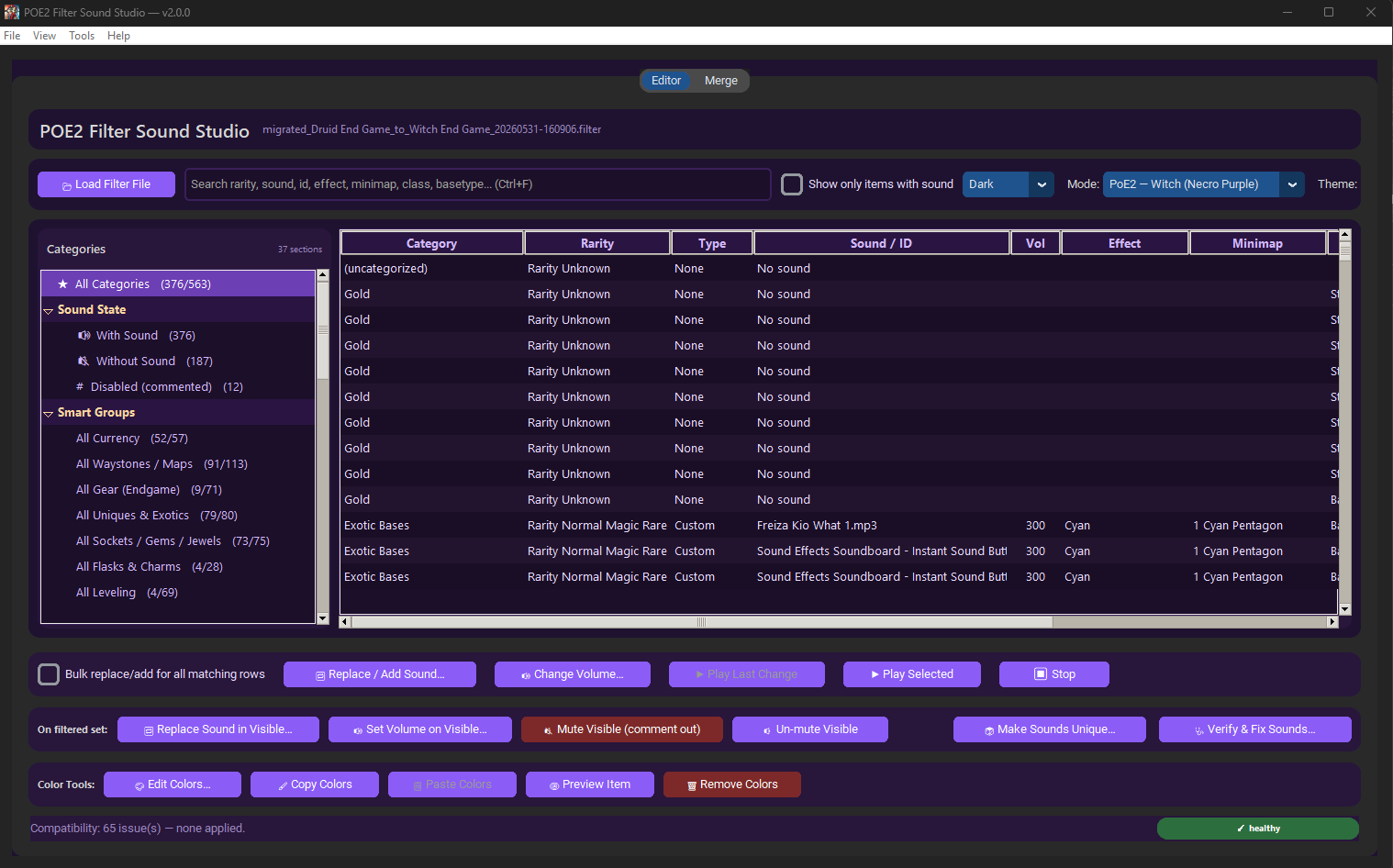
Hey all — I built a free, open-source Windows tool for editing Path of Exile 2 [c].filter[/c] files. It started because I got tired of hand-editing [c]CustomAlertSound[/c] lines every league migration, and grew into a full filter sound + color editor.
Sharing in case anyone else finds it useful.
 ━━━ Download ━━━
Standalone Windows EXE
━━━ Download ━━━
Standalone Windows EXE (no Python install required, ~69 MB, FFmpeg bundled):
GitHub Releases → App_v3.exe
Source code, full README with screenshots:
github.com/xtheredshirtx/poe2-filter-sound-studio
━━━ What It Does ━━━
- Bulk sound editing. Pick a category in the sidebar (currency, maps, uniques, gems, etc.) and replace, add, mute, unmute, or adjust volume on every visible block at once. Targets exactly what's filtered — no surprises.
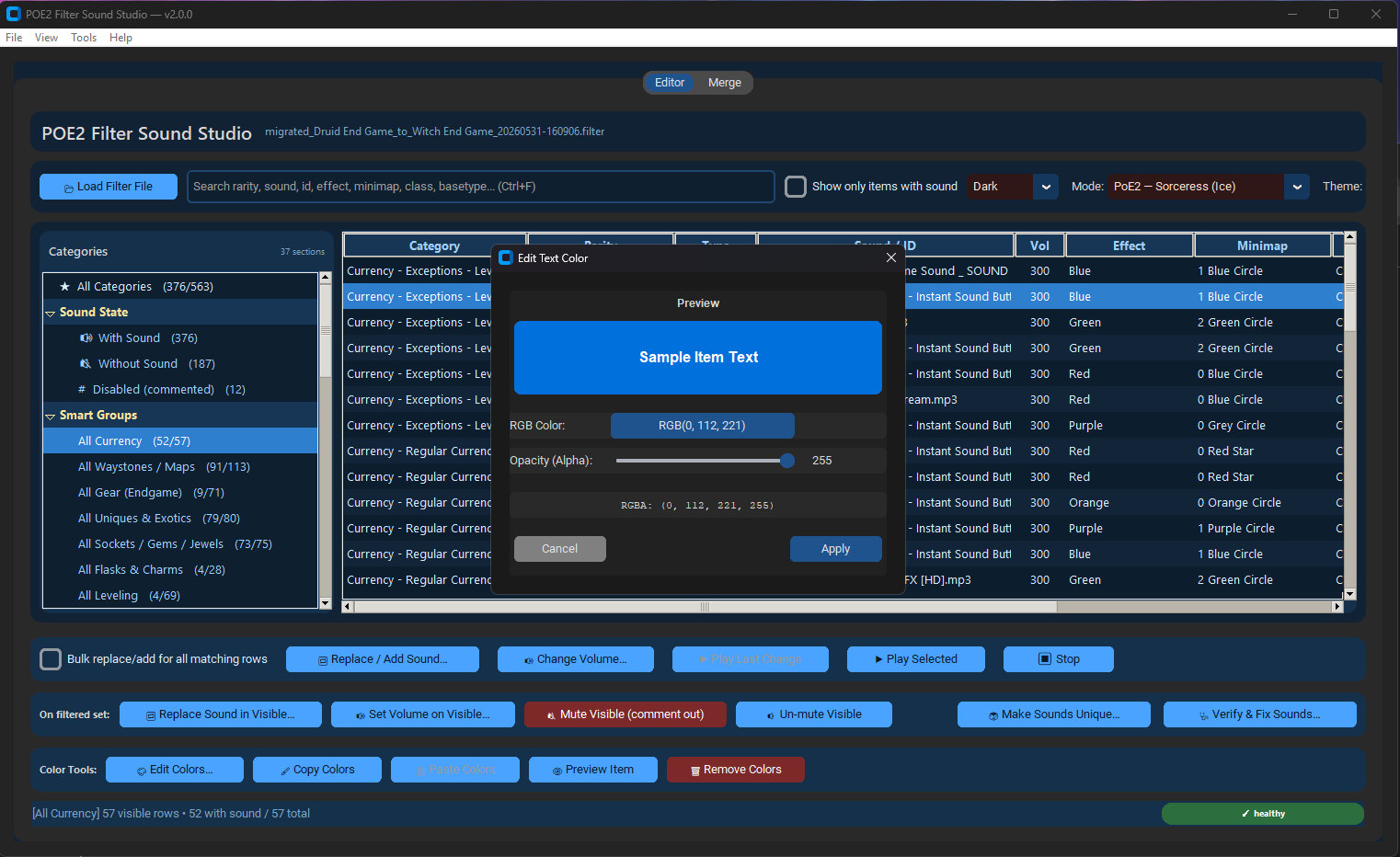
- Color editor with live preview. RGBA picker for [c]SetTextColor[/c], [c]SetBorderColor[/c], [c]SetBackgroundColor[/c], with a simulated in-game item preview. Copy/paste colors between blocks.
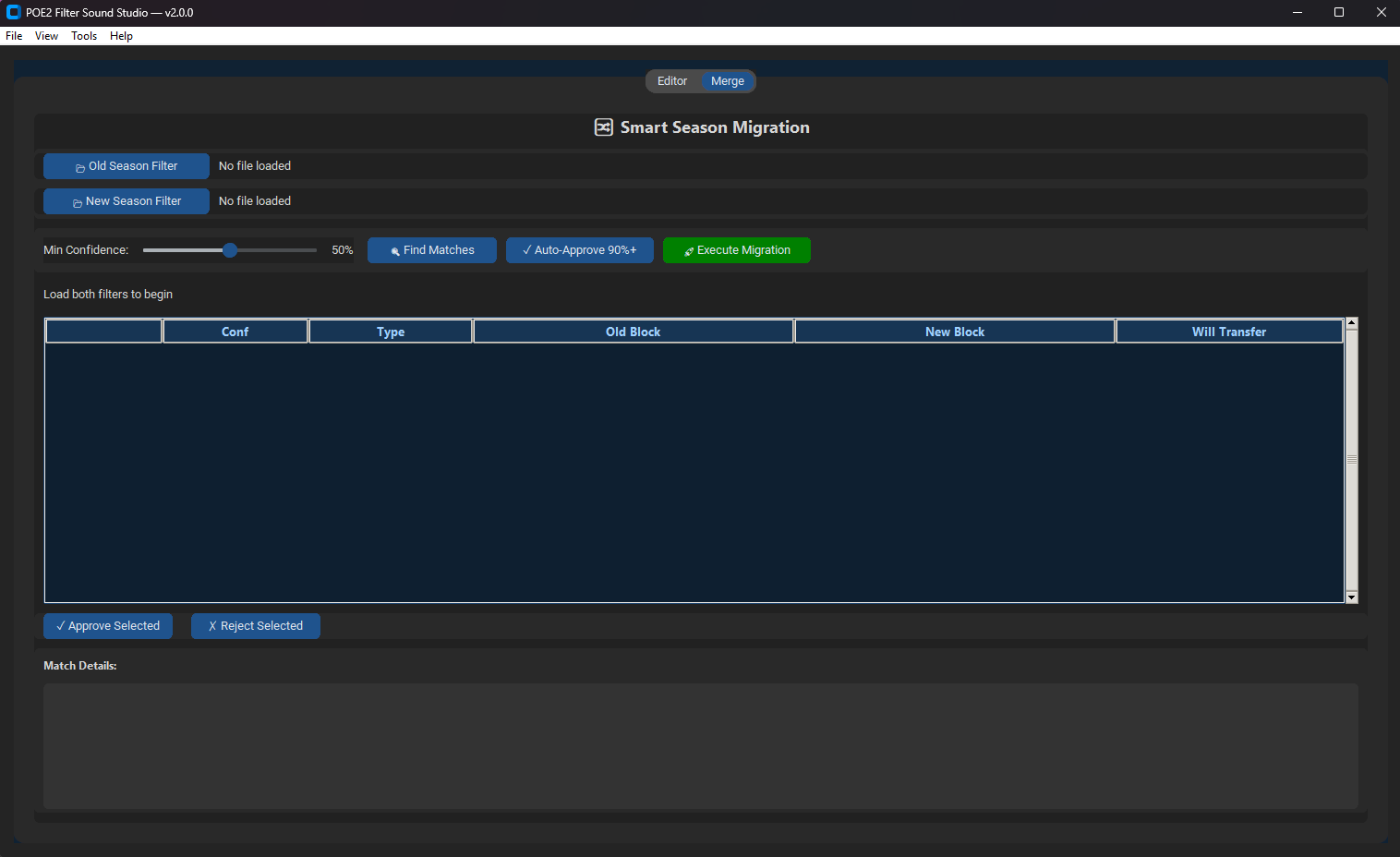
- Smart Season Migration. Load your old league's filter and the new base filter. Fuzzy block matching transfers your custom sound assignments automatically. Approve high-confidence matches in bulk; review the rest manually.
- Sound health checks. Finds missing referenced files (CustomAlertSound pointing at files that aren't there) and orphan audio (files in your filter folder that no rule references). Auto-fix builds a substitute plan from sounds you actually have.
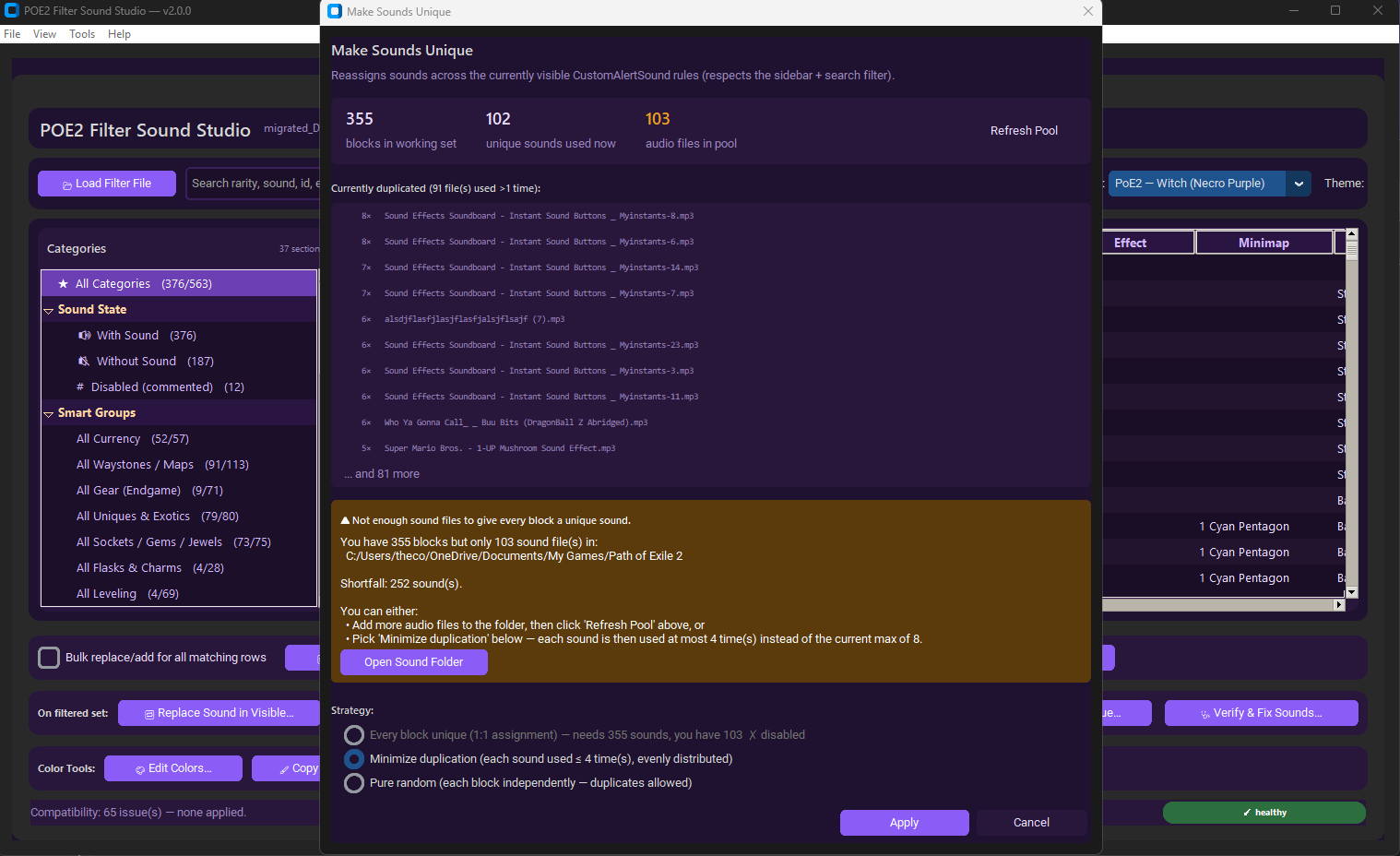
- Make Sounds Unique. Distribute available audio files across visible blocks — 1:1 if you have enough, balanced if you don't, or pure random.
- Compatibility check. Flags unknown commands or out-of-date rules; applies migration rules in bulk.
- Audio preview built in. Plays back custom sounds without leaving the app. FFmpeg is bundled so [c].mp3 .wav .ogg .aac .flac .m4a .opus[/c] all work out of the box.
- Timestamped backups on every save. Keeps up to 20 per filter by default.
- Themes per ascendancy — purely cosmetic, but switching the UI to your current build's colors is fun.
━━━ Screenshots ━━━
Smart Season Migration:
Color editor:
Make Sounds Unique:
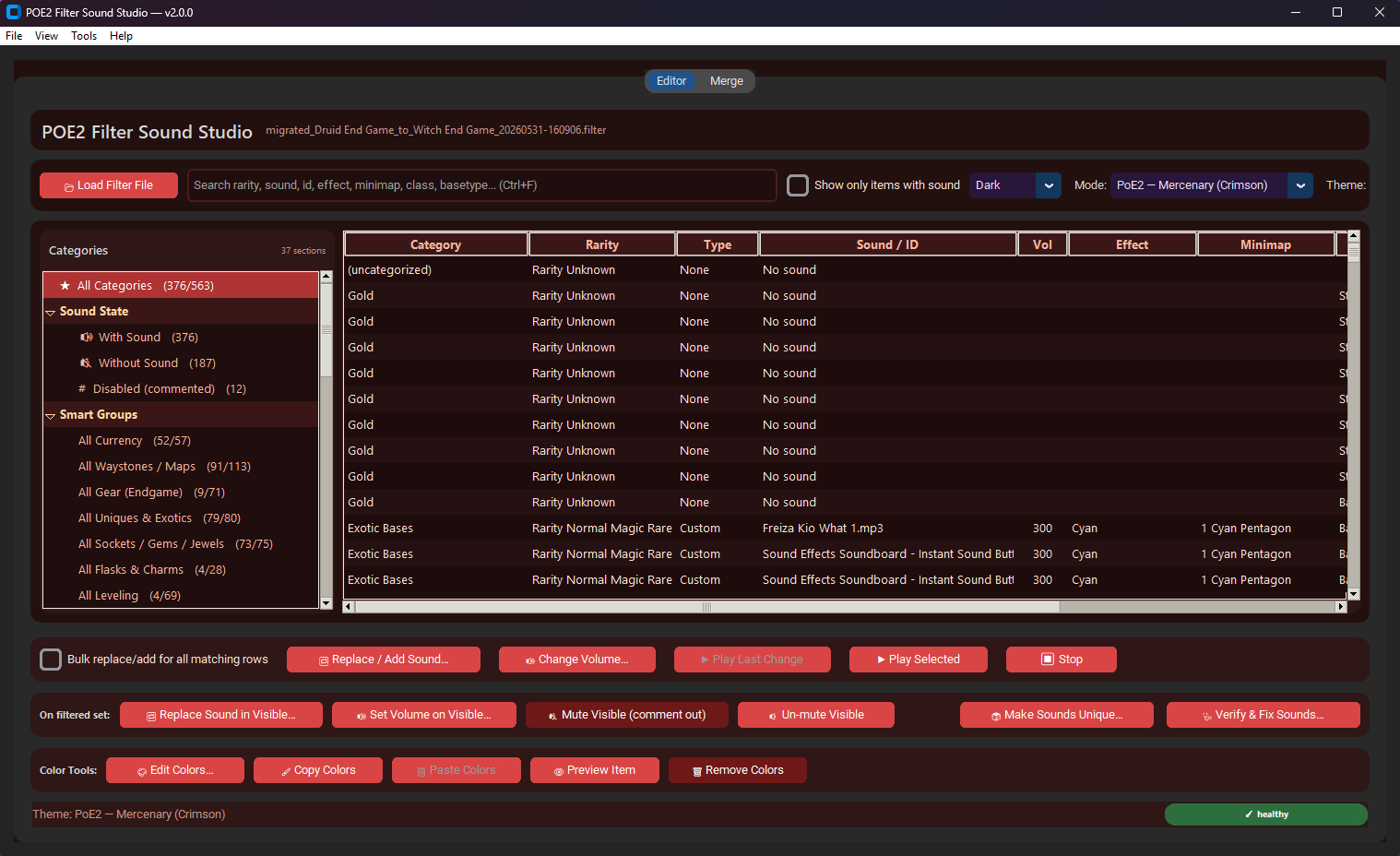
Mercenary (Crimson) theme:
 ━━━ Notes ━━━
- Windows 10/11 x64. Built with Python 3.12 + customtkinter, packaged with PyInstaller.
- First launch may show SmartScreen "unrecognized app" — click More info → Run anyway. The EXE is unsigned (code signing certificates are expensive); if you'd rather not trust it, all source is on GitHub.
- Tested with NeverSink-style filters. Should work with any [c].filter[/c] using standard [c]Show[/c]/[c]Hide[/c] blocks.
- Settings live in [c]%APPDATA%\POE2FilterSoundEditor\[/c] — uninstall is just "delete the EXE and that folder."
- MIT licensed. Bug reports and PRs welcome on GitHub.
Let me know if anything breaks on your filter — happy to take issues on the repo, or just reply in the thread.



