


Controller UI - Detailed Feedback & Suggestions
|
This thread aims to highlight some problematic UI issues I found - some new, some old. I hope this helps the controller UI designers identify & improve these concrete issues.
I've been playing since 0.1, and have noticed that in the last year or some, many UI decisions seems to be aimed at making the game more readable on far away TVs and small displays like Steam Deck. While I appreciate the effort, some "improvements" have made the UI look more inconsistent and unnecessarily big for people who play on normal monitors or sit right in front of their TV, like me. UI Size Settings Firstly, I do not understand the logic of only providing medium, large, and extra large font size settings. Why not include a small option as well? I guess it's just semantics, but still sends the wrong message. Then, there's also the dubious "popup size" setting. Since the setting has a tooltip which changes size when adjusting the setting, you would think that that's what it controls. But this does in fact also change the size of item descriptions - like the thing you're probably looking at most of the time in this game. However, at least for my taste, setting popup size to the minimum makes the tooltips just about the right size, but the item descriptions are then too small to comfortably read. Since this aspect is more important, I need to turn up the popup size a bit, and just accept the comically large tooltips. Suggestion: Separate tooltip and item description size into two settings! 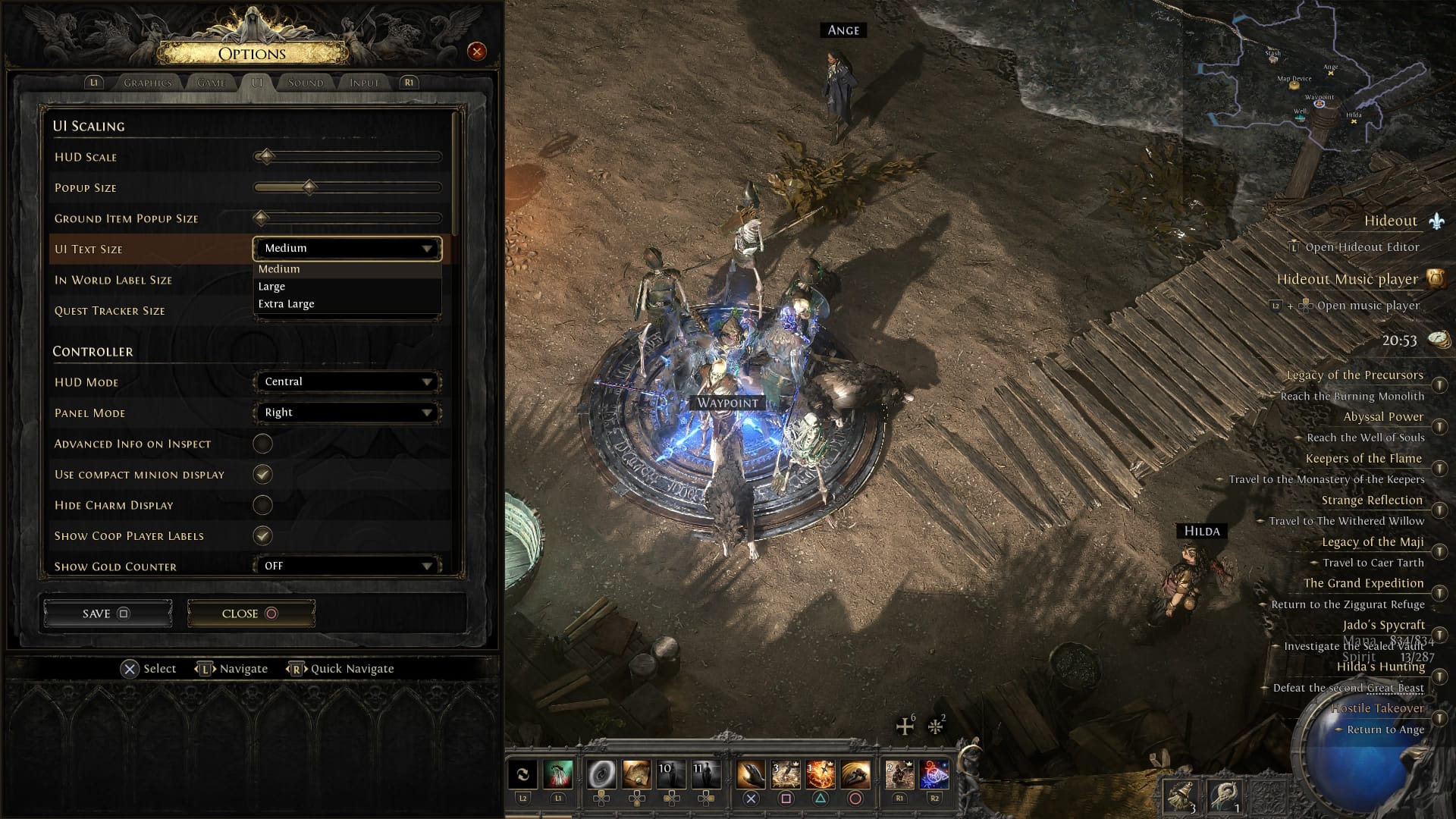 UI Element Scaling 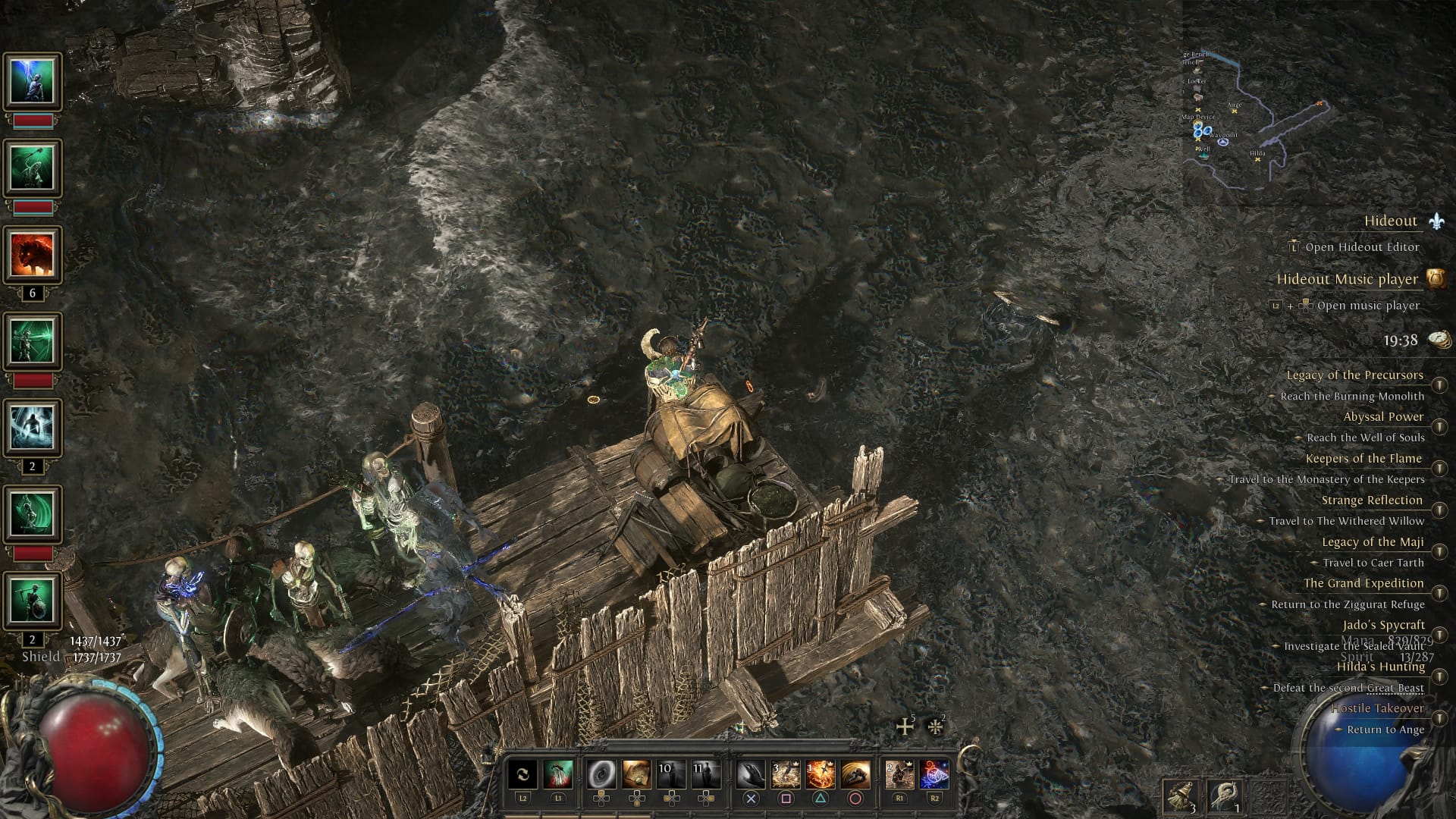 This is how my screen looks like playing my minion sorc. The minion icons are huge compared to every other UI element - despite already using the "compact display" option. This is despite having set "HUD Scale" to the minium. When I set the HUD Scale to the max, this is how my UI looks. Interestingly, now the minion icons are exactly the same size as the skill icons. And when imagining playing like this on a Steam Deck, it actually looks alright.  However, why have a setting "HUD Scale" when it literally ONLY affects the skill bar and health/mana globes? This should apply to other elements as well, for instance the search, skill points and attributes display in the skill tree. The current size actually covers an unnecessarily big are of the screen, especially compared to other UIs. 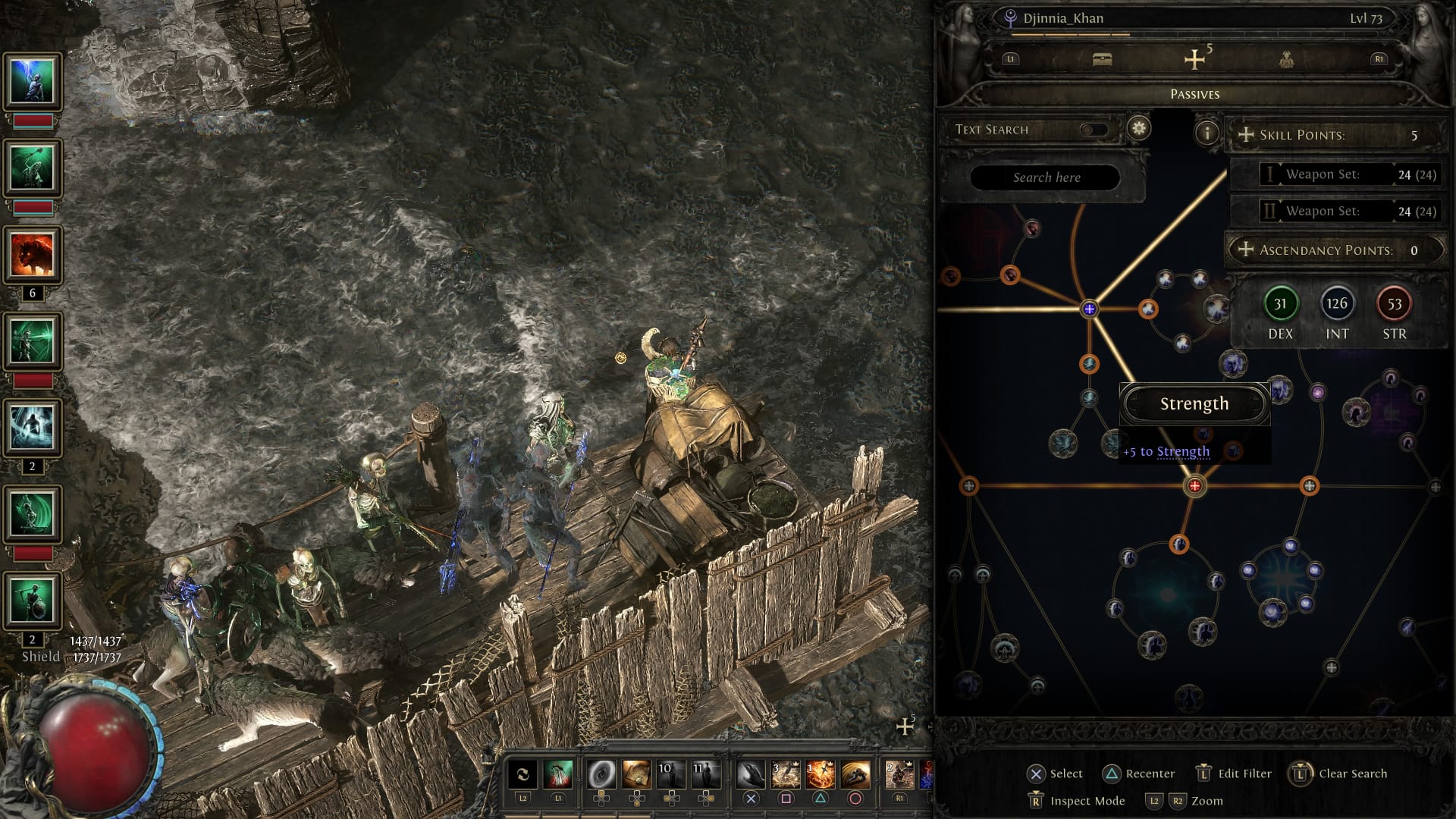 And then there is the atlas. The new atlas map has the same issue: All UI elements are just huge - like they were meant for a mobile display. And they don't respond to the UI Scale setting.  And the atlas tree has a different scaling entirely. This becomes obvious when comparing the size of the literally identical search bar elements.  Suggestion: Please implement UI scaling to all relevant HUD elements, and ensure uniform scaling. Inconsistent Tooltip Style Currently, the game contains at least 3 different styles for simple tooltips. Each has a different layout and font size. Here are just two examples, but the graphics option menu's also features a third style. These should be streamlined as it makes for a very inconsistent style of the whole UI. 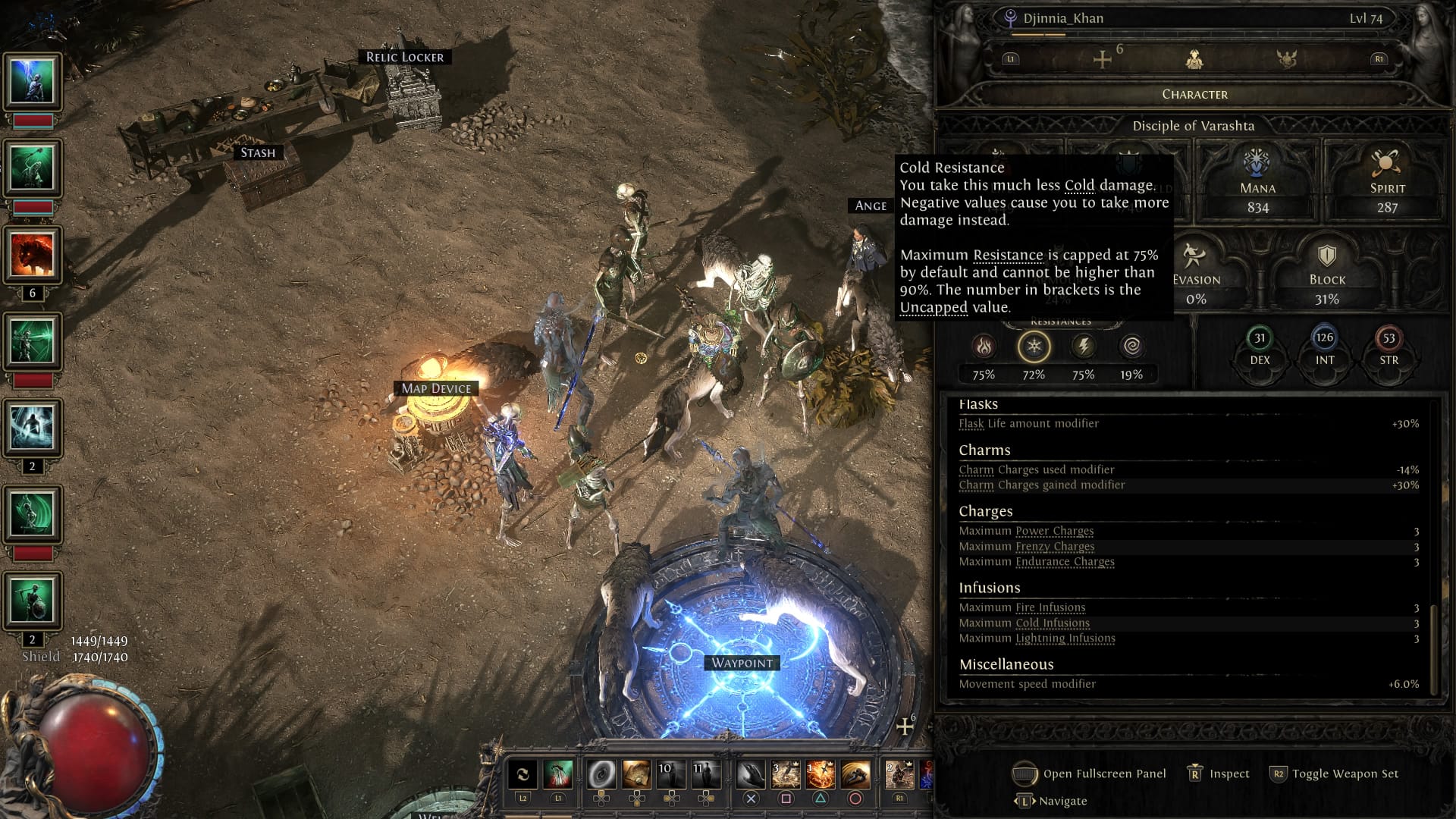 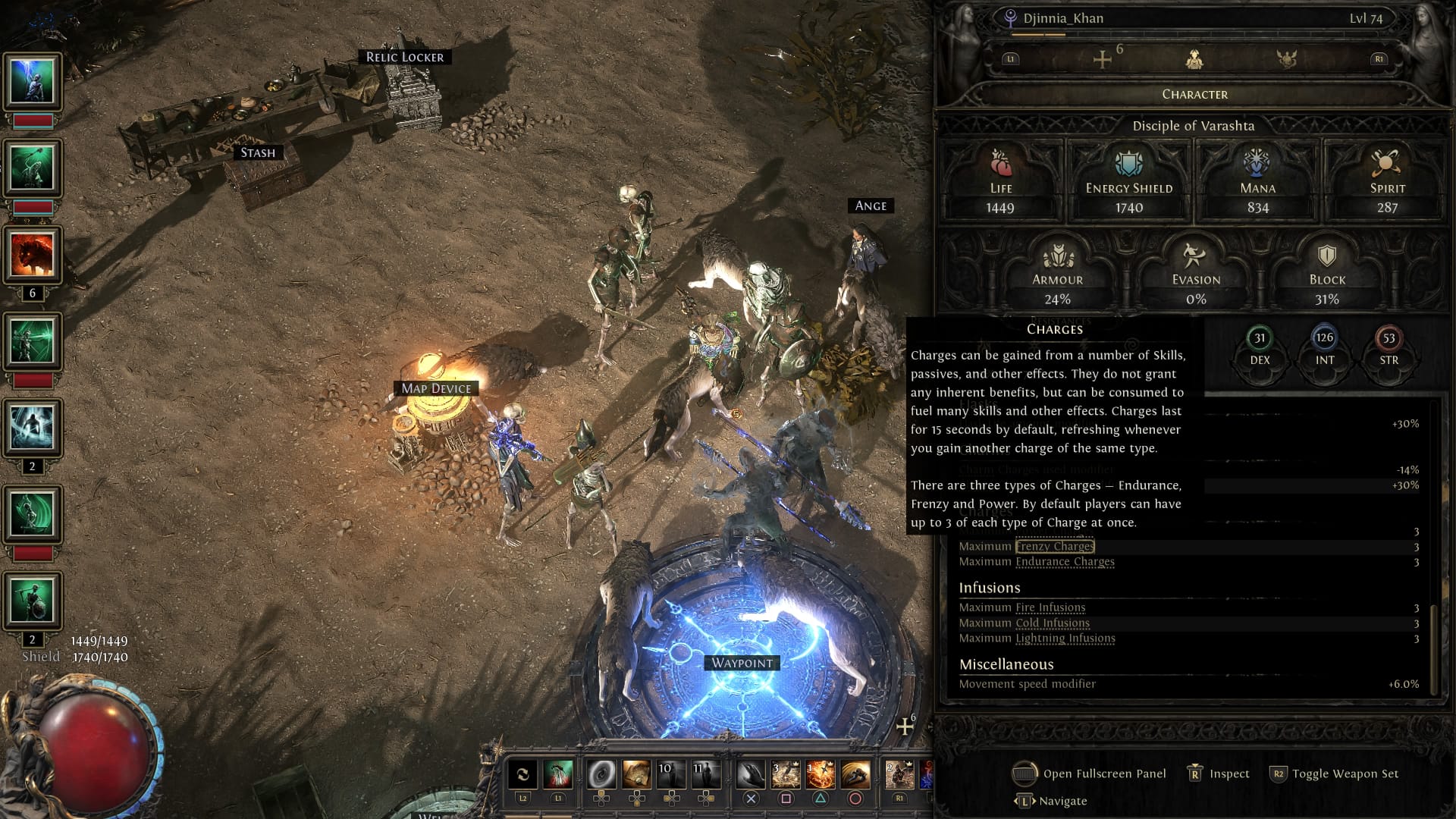 Item Display Width (Bug) Finally, I want to highlight a bug which unnecessarily wastes screen space. I guess this was introduced with 0.5, but I'm unsure about that. When looking at an item normally, there are oddly large passings on both sides. Interestingly, there disappear when entering inspect mode, and they are the exact same width that showing advanced info (the modifier tiers) requires. 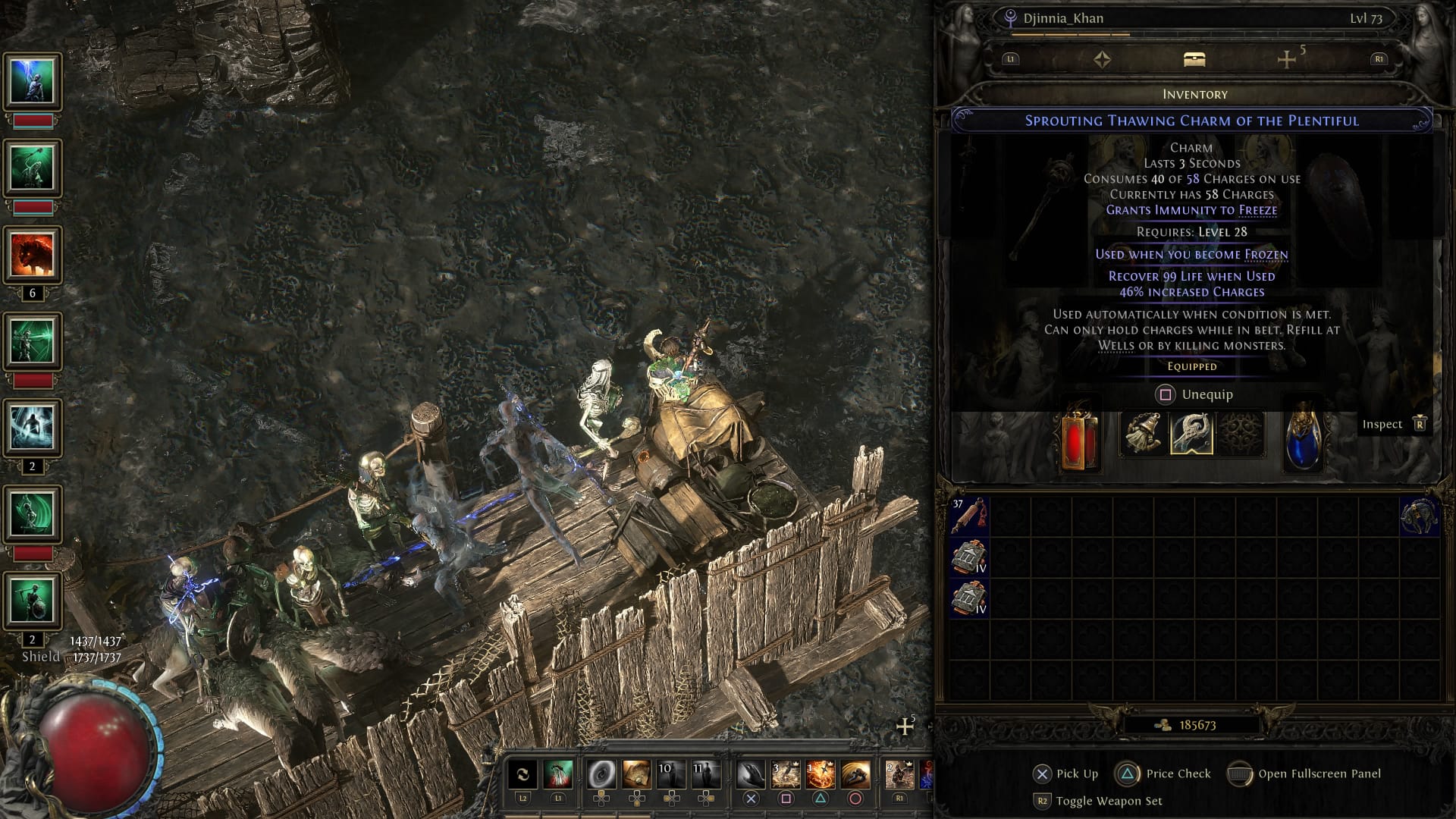 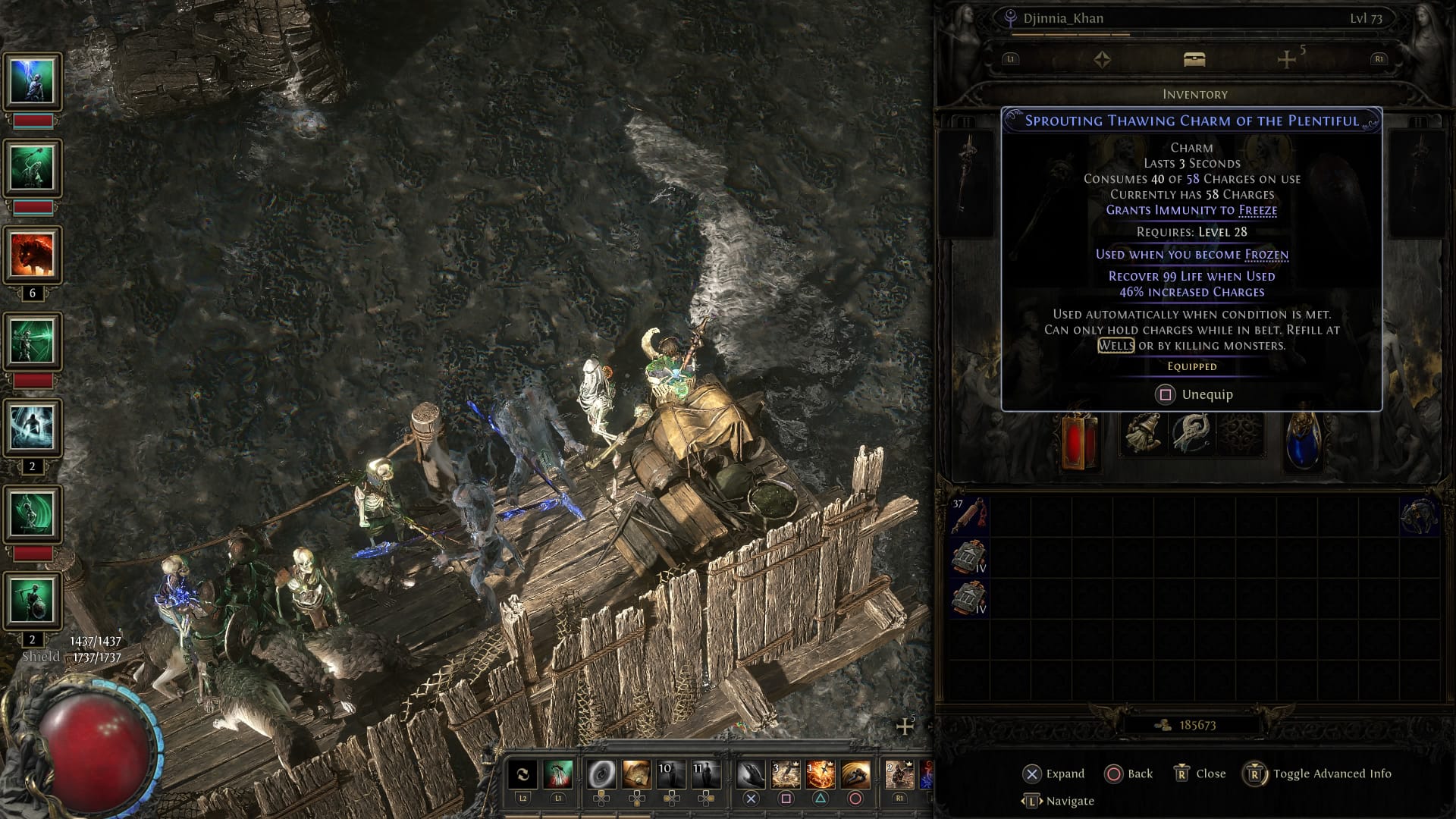 This seems like an obvious bug, but I still wanted to highlight it here. I hope this post reaches the controller UI team, and helps them improve the UI for the 1.0 release. I realize that there has been vocal feedback regarding font size on large TVs and small displays, but please don't forget about those who want to play on the same scale as the PC UI - just with a controller. Last bumped on Jun 1, 2026, 2:16:46 AM
|

|
|
This is just the tip of the iceberg. Try looking at the new currency exchange and the new trade market. The UI and UX decisions on these are very questionable. Things are getting missed for new content.
|

|



